
Getting started

Setting User Options

Set your own units, time zone, map defaults and refresh interval. These are yours alone and do not affect anyone else on the account.

The box shown below will pop up. This is where you can set all of your preferences when you use AirIQ Fleet.
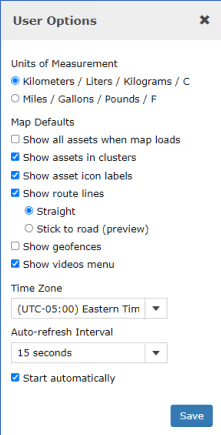
The User Options box, where display and time zone preferences are set

Other:You can choose your time zone which will be reflected in AirIQ Fleet and reports. You can also set an auto refresh interval, where AirIQ Fleet will auto refresh every amount of time you set in this field to give you an up to-date view on all of your assets.

Still stuck?

Client Care picks up the phone. If you need incident footage pulled for an insurer, say so when you call.

Client Care·ClientCare@airiq.com